
In article 1, the GAM agent ran locally and the OAuth connection was proven. Now the step that makes it useful to other agents: deploy it to the cloud and make it A2A-discoverable.
Deploy to Vertex Agent Engine
A single command packages the agent and creates a reasoningEngine resource in Vertex AI Agent Engine (Agent Platform):
adk deploy agent_engine \
  --project=PROJECT_ID --region=us-central1 \
  gam_sentinel
⚙️ Two time-wasting gotchas: install google-cloud-aiplatform[agent_engines] (for vertexai), and pin opentelemetry==1.42.1 (newer versions break ADK).
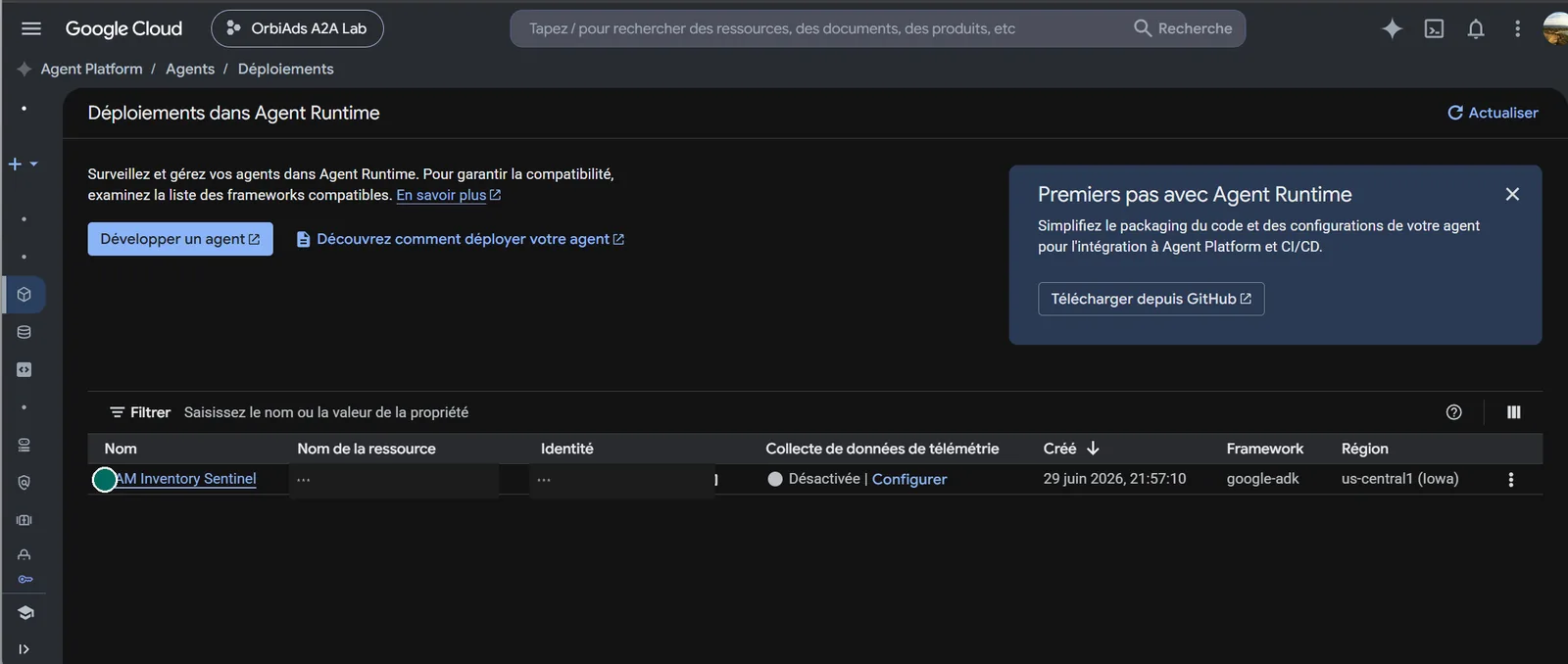
Managed auth (Agent Identity connector)
A deployed agent can't open a browser to consent. The clean path is the Agent Identity Auth Manager: a Google-managed 3LO OAuth connector. The user consents once (in the browser), Google stores and refreshes tokens and injects them into the agent — no refresh code to write.
Until a user has consented through the connector, the agent returns Failed to retrieve credential. That's expected — proof the runtime works and that the front door is user authorization, not an agent secret.
Agent Card + Agent Registry
Deployment serves the Agent Card (/.well-known/agent-card.json, seen
in article 1) and registers the agent in the Agent Registry — the directory of
discoverable agents — as CUSTOM. From there, any other agent can find it and
delegate a task to it.
The orchestrator: discover then delegate
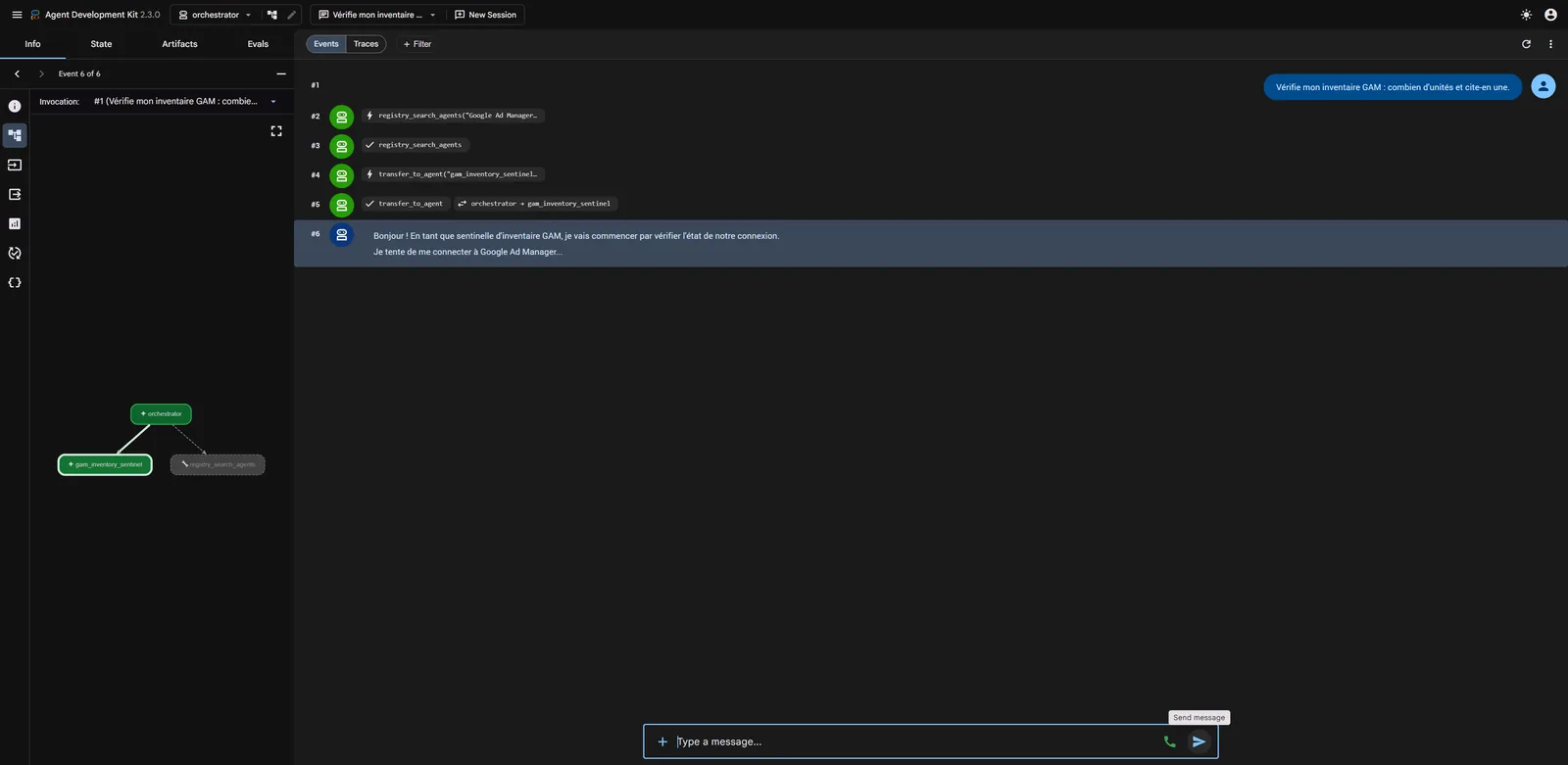
This is the real "A2A" moment. An orchestrator (1) discovers the GAM agent via
a registry search (registry_search_agents), then (2) delegates to
it via a RemoteA2aAgent that reads its card and hands off the task
(transfer_to_agent). The reply flows back to the orchestrator. Two agents talking:
The "Connect an agent" page
On the OrbiAds side, no need to wire credentials by hand: a self-service page provisions an
OAuth client for the agent. You enter a name and the redirect URL; OrbiAds returns a client_id and a secret shown only once.
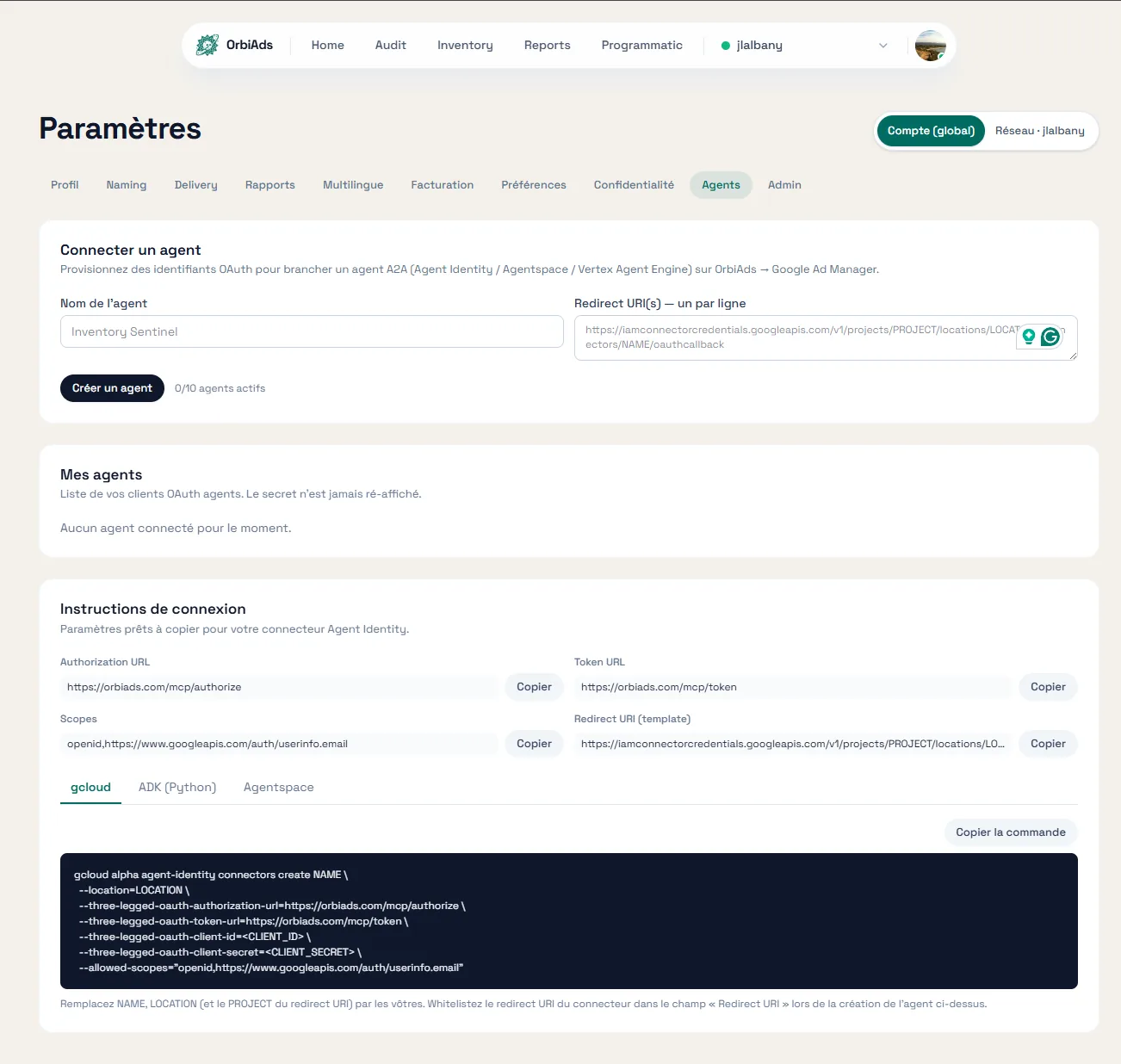
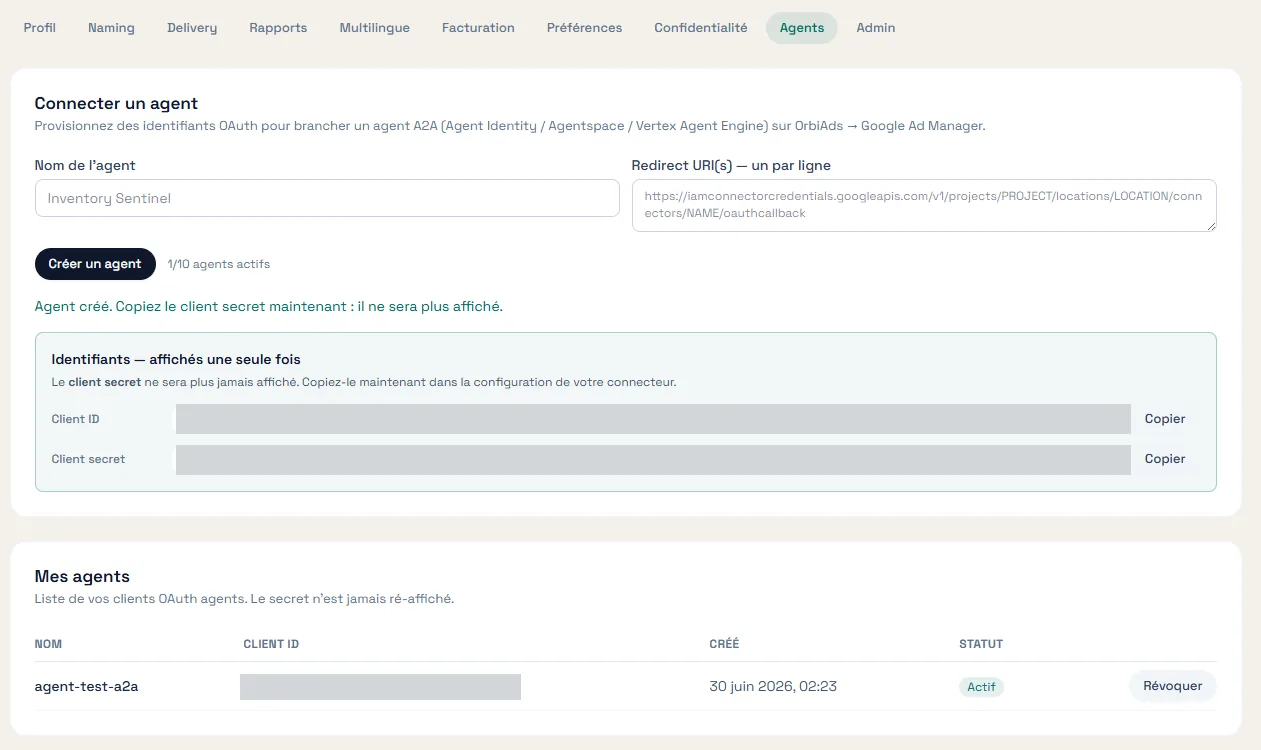
The client's redirect URL must match the Agent Identity connector callback, otherwise consent fails at runtime. The page shows the exact template to use.
What's next
The agent is deployed, discoverable, and an orchestrator can delegate to it. In article 3, we compose a real multi-agent business case: a forecast and a format recommendation in parallel, merged into an optimization plan.